Basic Linux Commands

A DevOps engineer with a knack for Automation and a proven track record in maintaining and administering DevOps process
What is the Linux command to view what's written in a file ??
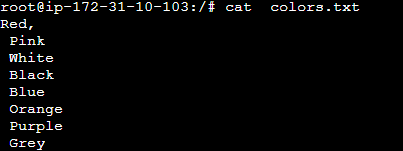
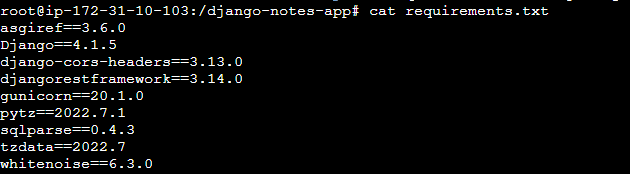
Unlike Windows, In Linux, you cannot view just by clicking twice and checking what is inside the file. In Linux, there is a command called cat.
cat command:
This command displays the entire contents of the file filename on the terminal.
There is not only a command to view the content of a file.
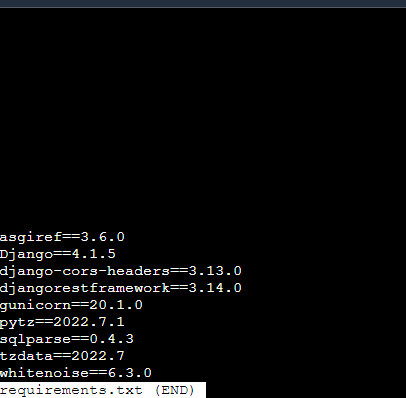
less command:
This command opens the file filename in a pager called less, which allows you to scroll through the file's contents. Use the arrow keys to navigate up and down, and press q to exit.
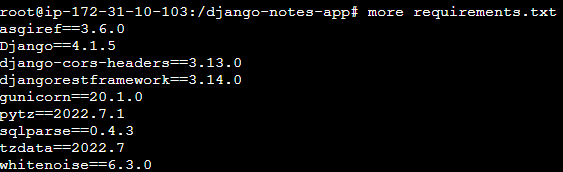
more command :
Similar to less, the more command allows you to view the contents of a file page by page. Press the spacebar to scroll to the next page and press q to quit.
head command:
This command displays the first few lines of the file filename. By default, it shows the first 10 lines, but you can specify a different number of lines using the -n option. For example, head -n 5 filename will display the first 5 lines.

tail command:
The tail command shows the last few lines of the file filename. Similar to head, it displays the last 10 lines by default. You can use the -n option to specify a different number of lines.

To change the access permissions of files.
chmod 777
The chmod command in Linux is used to change the permissions (i.e., read, write, execute) of files and directories. The command allows you to set permissions for the owner of the file, the group associated with the file, and others (everyone else)
The chmod command in Linux is used to change the permissions (i.e., read, write, execute) of files and directories. The command allows you to set permissions for the owner of the file, the group associated with the file, and others (everyone else). Here's the basic syntax of the chmod command:
Here are some commonly used options and permission symbols with the chmod command:
Numeric Permissions:
0: No permission1: Execute permission2: Write permission4: Read permission
Symbolic Permissions:
u(user/owner)g(group)o(others)a(all)
Common Permissions:
r(read)w(write)x(execute)
chmod 755 filename
This command sets the permissions of
filenameto read, write, and execute for the owner, and read and execute for the group and others.chmod u=rw,g=r,o=r filename
This command sets the permissions of
filenameto read and write for the owner, read-only for the group, and read-only for others.chmod +x filename
This command adds the execute permission for all (user, group, and others) to the file
chmod g-wx filename
This command removes the write and execute permissions for the group from the file
filename.
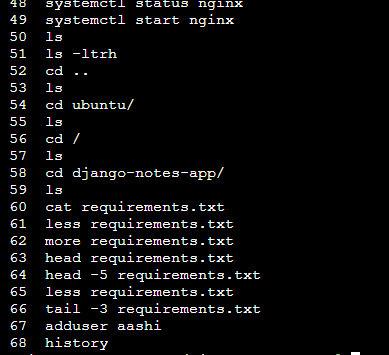
To check which commands you have run till now.
History Command will list all the commands including history command
To remove a directory/ Folder.
rm [file name]
rmdir [directory name]
Here I created a file by the name aayushi2 and ls it by ls -lth

Here , I want to show you directory can be deleted by rmdir command only rm is for file only.

Lets see how to create a file and how to see content into it.
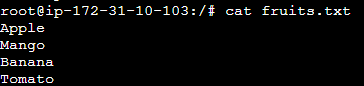
Here i am creating fruits.txt file and to add the content using vim
cat can be used to view whats inside it
But, in order to add content we use vim only.

Let's add content in devops.txt (One in each line) - Apple, Mango, Banana, Cherry, Kiwi, Orange, and Guava.
How to show only the top three fruits from the file?

How to show only the bottom three fruits from the file?

Let's create another file Colors.txt and view the content.